 ☰
☰Receive Device Status Updates via Webhook
Audience: End Users / Customers
Objective: Learn how to configure a webhook in OMS to receive real-time updates when device status changes (e.g., input source or volume).
Overview
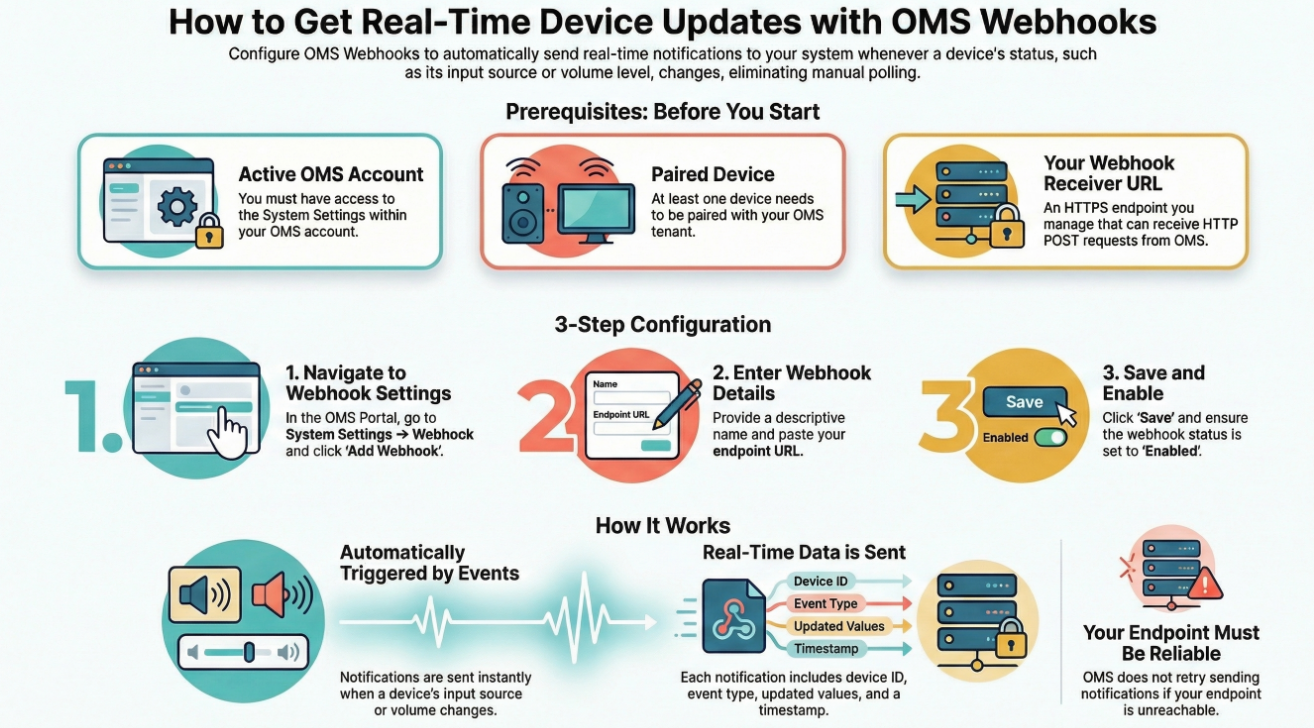
OMS supports Webhook notifications that automatically send device status changes to your system.
Once configured, OMS will notify your webhook endpoint whenever key device states—such as Input Source or Volume—are updated.
This allows you to:
Monitor device behavior in real time
Sync device status with your own system or dashboard
Reduce the need for manual status checks
Before You Start
Before configuring a webhook, make sure you have:
An active OMS account with access to System Settings
At least one device already paired with your OMS tenant
A webhook receiver URL
This is an HTTPS endpoint on your system that can receive HTTP POST requests
Network access allowing OMS to reach your webhook endpoint
Note: The webhook receiver is managed by you. OMS only sends event data and does not host the receiving service.
Step-by-Step: Configure a Webhook in OMS
Step 1: Open Webhook Settings
Sign in to the OMS Web Portal
Navigate to:
System Settings → Webhook
Step 2: Create a New Webhook
Click Add Webhook
Enter the following information:
Webhook Name: A descriptive name (e.g., Device Status Update)
Endpoint URL: The HTTPS URL that will receive webhook notifications
Step 3: Save and Enable
Review your settings
Click Save
Ensure the webhook endpoint status is ready.
It's done.
Your webhook is now active, what happens after setup:
When a device’s input source changes
(for example, HDMI → DisplayPort)Or when the volume level is adjusted
OMS will send a webhook notification to your configured endpoint.
Webhook Payload Definition
Payload example
{"resources": ["/devices","/device/{device_id}/power"],"device_id": "83e676c6-50f0-474c-9c29-972eed2518a2"}
resources - Indicates which device resources were changed
device_id - The unique identifier of the device
Resources describes what changed on the device, each resource corresponds to an OMS API endpoint where updated information can be retrieved.
Below are common device operations and the related resource values included in the webhook payload:
Resources Operation
/device/{device_id}/power Power On / Off
/devices Inputsource, Volume
Custom Headers
If Custom Headers are configured when creating the webhook:
All outgoing webhook requests will include the specified Header Key and Header Value
Secret Token & Request Signature (Optional)
If a Secret Token is configured, OMS will include an additional HTTP header:
x-webhook-signature
This signature allows you to verify that the request was sent by OMS and the verification process is:
Serialize the original payload
Use the Secret Token to calculate an HMAC-SHA256 hash
Compare the calculated hash with the value in
x-webhook-signature
JavaScript Example
Timing & Behavior Notes
Webhook notifications are sent automatically when a change is detected
Updates are delivered in near real-time
Minor delays may occur depending on network conditions (around 7 seconds)
Common Notes & Limitations
Webhooks are event-driven, They are triggered only when a status changes, not on a fixed schedule.
OMS does not retry indefinitely if your endpoint is unreachable.
Make sure your endpoint can handle repeated or frequent updates if device status changes often.
Summary
By configuring a webhook in OMS Web Portal → System Settings → Webhook, you can easily receive automatic updates whenever device status changes—such as input source or volume—without manual polling.
This setup helps keep your systems synchronized with real-time device behavior in a simple and scalable way.